 COME
COMECOME Account, Transactions and Game History: Where to Look
Choose Account for account information, Transactions for transaction records and Game History for game activity. These menu areas solve different questions after the app has opened.
Begin with the question, not the first menu item
The COME account menu shows Account, Transactions and Game History as separate items. A question about who is signed in is different from a question about a record of an action. Name the thing you need before opening a section.
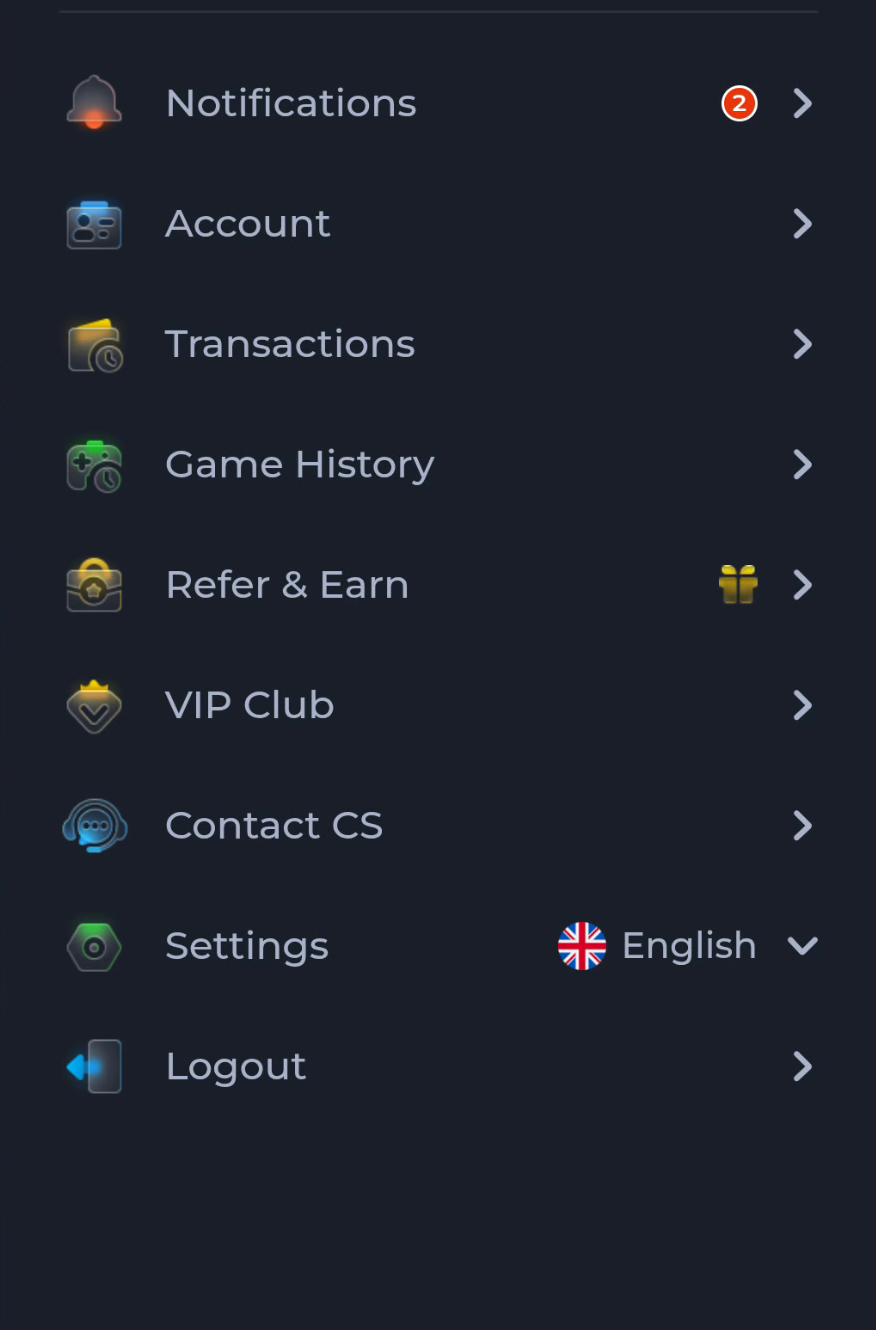
If the question concerns a previous game, begin with Game History. If it concerns an account transaction, use Transactions. Keep the record's date and identifying context together so you do not compare different actions.
Installation records are elsewhere
The browser Downloads list tells you about the package file. Android App info tells you about the installed application. Neither replaces an account record inside COME. If the app already loads normally, another file transfer is not the first way to find an earlier account action.
For example, a completed APK entry proves that a file was saved. It says nothing about whether a particular in-app transaction completed. Use the record belonging to the action you are asking about.
Keep access tied to the existing account
Return through the existing-account route when you already use COME. Creating a second account does not recover the first account's records. If access fails, use the service's recovery flow and the relevant help topic rather than changing identity to work around the question.
Avoid clearing app data as a reflex. Local data changes can affect sign-in state and make it harder to return to the right account. Preserve recovery access before updating or troubleshooting a working app.
Prepare a useful help question
Record which section you opened, what you expected to find and what is actually shown. A date, time, record label and exact message help distinguish a display question from an account or service issue. Keep the explanation specific to one action.
Contact CS and Customer Center provide the product-help route. Use a relevant topic or existing ticket rather than a phone number on an unrelated search page. Do not infer a completion deadline from a category label.
Share only necessary information
A support screenshot should not expose passwords, one-time codes, UPI PINs or full payment credentials. If a private reference is needed, provide it only through the service's appropriate process and only to the extent required.
This distinction also applies to rewards. A bonus milestone, transaction and game-history entry can describe related but different events. Read the reward condition alongside the reward record, not merely alongside a screenshot that the app was installed.
Know when to stop
You have located the right context when the record belongs to the account and action in question. If it still appears wrong, keep that specific record for the product help route instead of repeating installation.